
- Type
- Desktop App
- Role
- Solo Project
- Status
- Completed
- Year
- 2026
— walid, 2026
Applications, not windows
One tile per application, most recently used first, so a browser with several windows open takes a single slot instead of crowding out everything else. Grouping is by AUMID for packaged apps and by executable path for the rest. Press down and a tile expands into its own windows.
The key Windows won't let you bind
RegisterHotKey can't bind Alt+Tab, because Windows reserves it, so the gesture runs on a low-level keyboard hook instead, on its own thread, allocating nothing and taking no locks. A hook that runs too long gets removed by Windows without a word.
Nothing running when idle
Between gestures the only live component is a single event hook, and it fires only when the foreground window changes. Holding Alt+Tab costs this process no CPU either: the fade and the selection highlight are Composition animations, and DWM runs those on its own thread.
Icons read out of the executable
The shell won't enlarge an icon past the largest frame an app ships, and hands back a smaller one centred in the canvas you asked for without saying so. MacTab reads RT_GROUP_ICON from the executable instead, and caches the finished tiles in memory and on disk.
Mission Control on Win+Tab
It arranges every window across every display so none of them overlap, with the virtual desktops in a bar along the top. It's off by default and you turn it on from the tray menu.
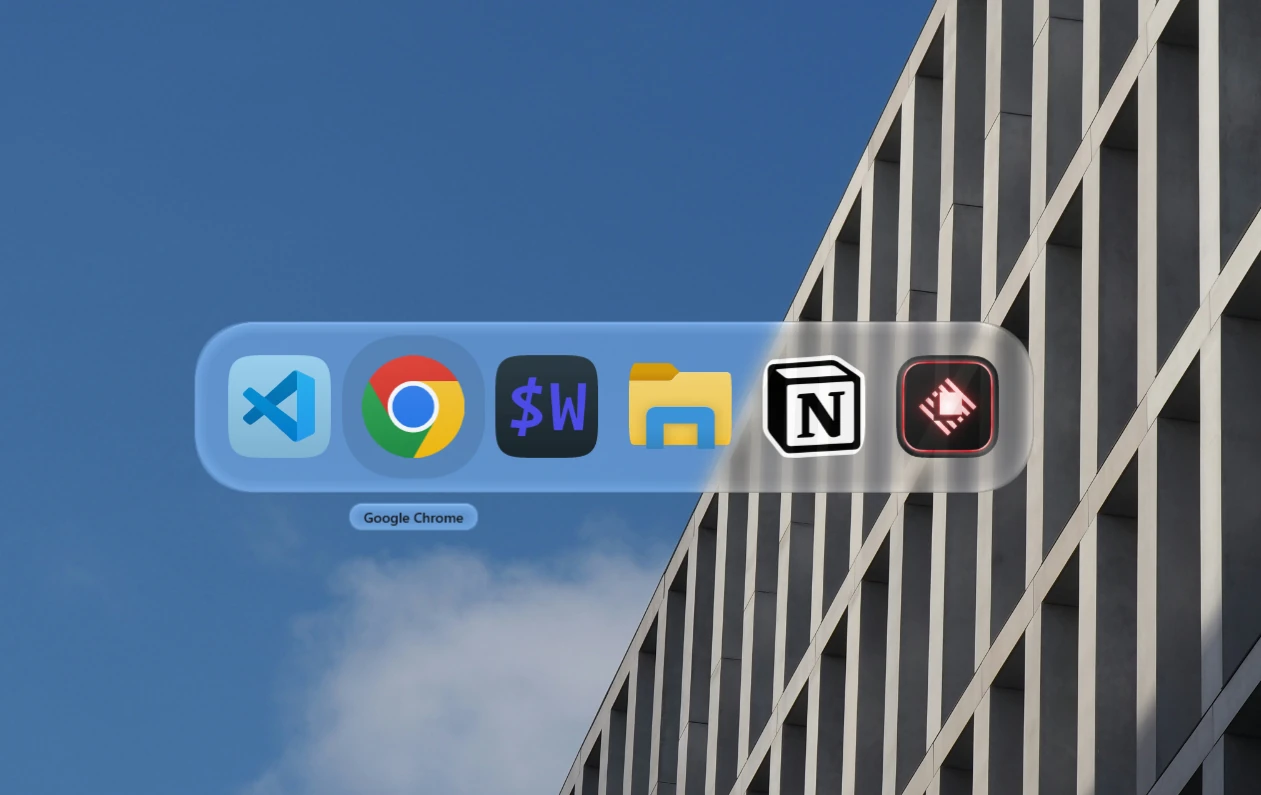
Hold Alt and press Tab : one tile per application, most recently used first. The glass is on in this shot, it ships off.
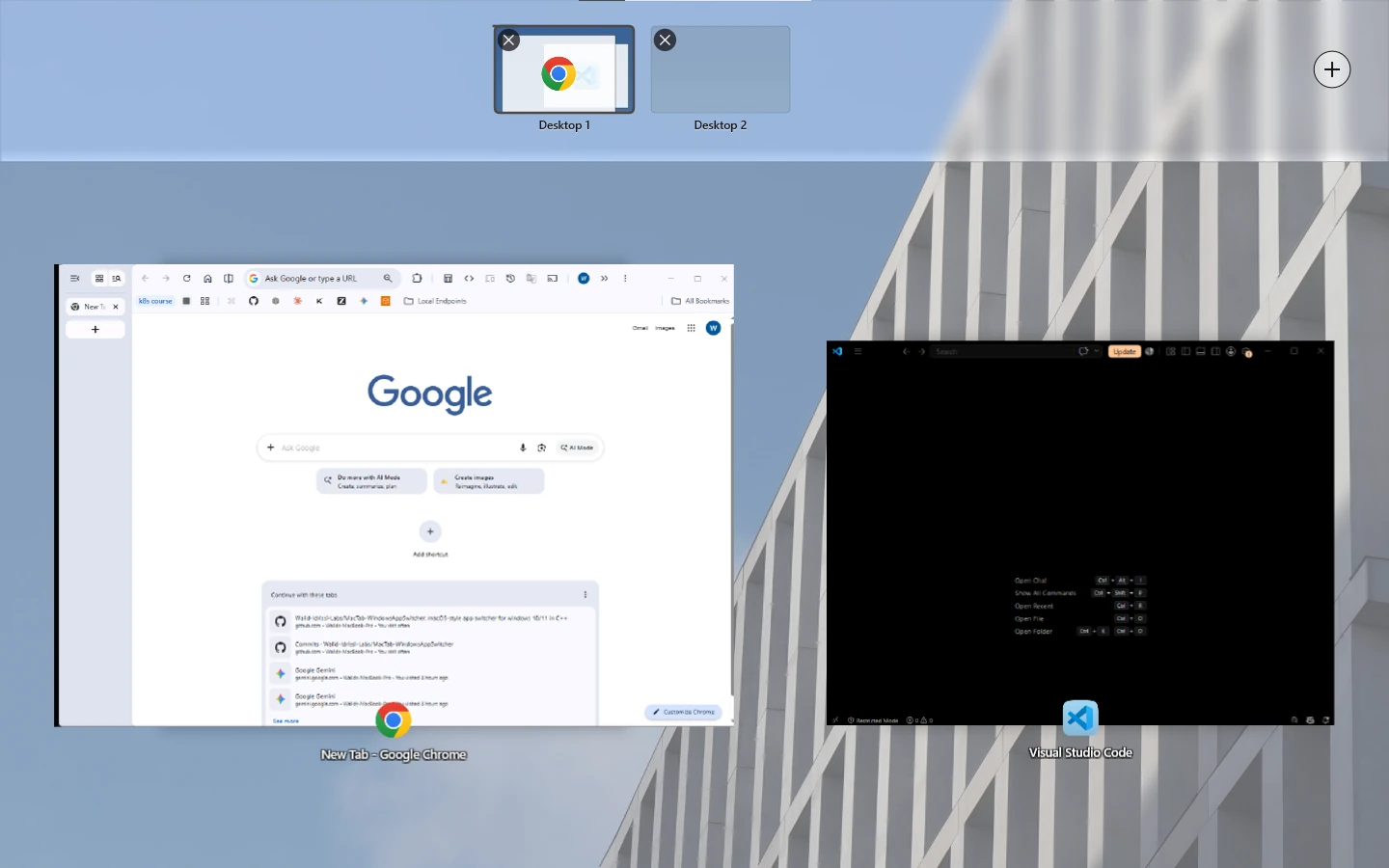
Mission Control on Win+Tab, with every open window pulled apart so nothing sits on top of anything else. Each one stays close to where it already was, so you find it by position instead of by reading labels.

The icon I drew for it. Its corners are a fitted superellipse as well, 2.46 against the panel's 2.24, so they sit very slightly squarer.
swipe →
The code is public. If you'd rather see it running, request a demo and it lands straight in my inbox.